Open Orders shows orders that can still affect the market or the selected account. A partially filled order can remain open for its unfilled quantity when its instructions allow it.
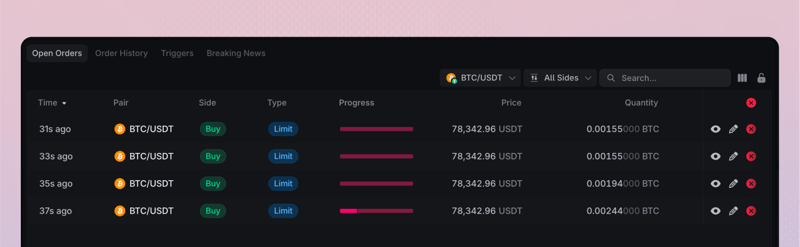
What the widget shows
Use the Pair and side filters to narrow the table. The available columns include status, type, quantity, filled progress, average price, limit price, trade value, time in force, modifiers, and order identifiers.
Read these values together:
- Quantity is the amount originally submitted.
- Filled shows how much has already executed.
- Remaining quantity is what can still fill or be canceled.
- Status shows the current order state in the account view.
Select a row to view details or use the actions currently available for that order, such as modify or cancel.
Cancel or modify safely
A successful request does not make its outcome immediate. Preserve the order ID and follow the row until the private account view shows the final result.
Reconcile after a connection gap
Refresh Open Orders, recent fills, Order Triggers, and Funds. Resume trading only after those private account views agree. Ended orders move to Order History.