Notifications keep you updated on account activity, trading, funds, security, and Polyester announcements. Choose the updates you care about and where you want to receive them.
Open Notifications to review alerts. Open Notification Settings to manage your choices.
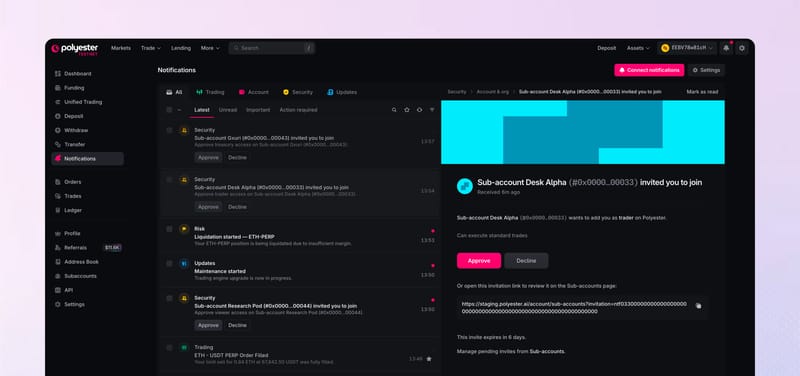
Choose where notifications appear
- In-app notifications appear while you are using Polyester.
- Browser notifications can appear outside the active Polyester tab.
- Push notifications appear on supported devices.
Browser and push notifications also need permission from your browser or device.
Choose which updates you receive
Turn notification groups on or off for:
- orders and trades
- deposits and withdrawals
- transfers
- security activity
- platform updates.
Your security settings and activity records remain available even when a notification group is turned off.
Choose how alerts look and sound
Set where alerts appear on screen, whether Polyester shows an unread badge, how long temporary alerts remain visible, and whether they play a sound.
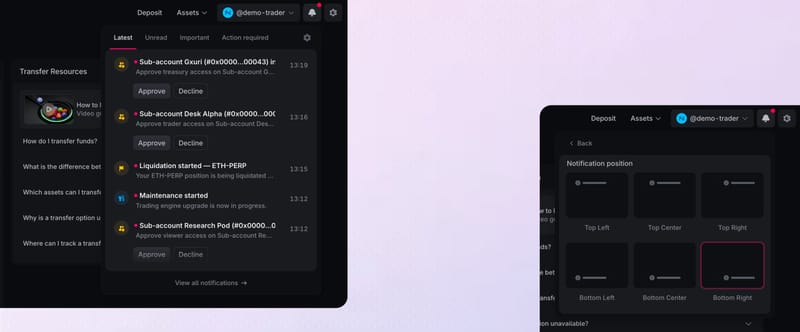
Sound volume is controlled separately under Sounds.
If an alert does not arrive
Check that the notification group and delivery channel are on. For browser or push alerts, also check the browser permission, device notification settings, and focus or do-not-disturb mode.