Members let you share one Subaccount without sharing your entire Polyester account. Each person receives a role that applies only to that Subaccount.
Open the Subaccount and select Members to invite someone, update their role, or remove their access.
Invite a member
Choose Invite Member
Open the Subaccount's Members tab and select Invite Member.
Find the person
Search by username, wallet address, or account ID and select the correct Polyester account.

Choose a role
Give the person the role that matches what they need to do.
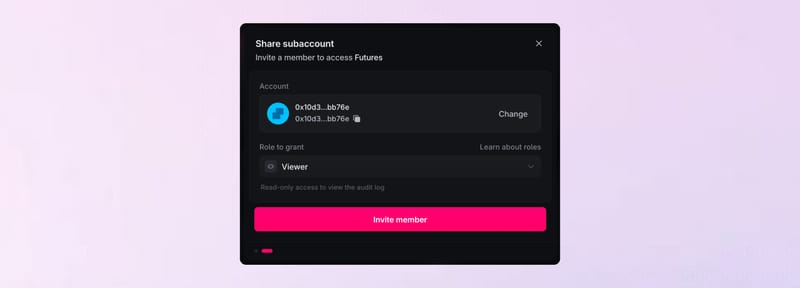
Send the invitation
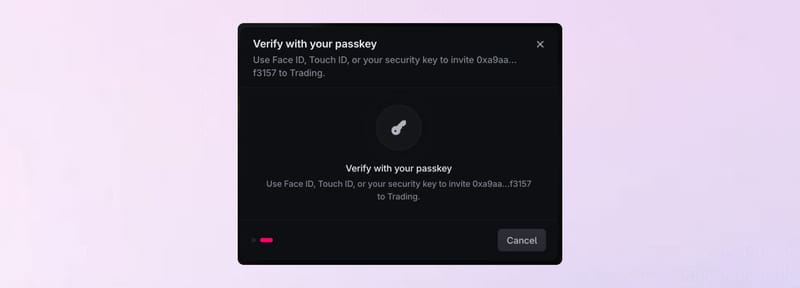
Select Invite member. Polyester may ask you to verify with your passkey before sending the invitation. The invitation remains pending until the person accepts it. Access begins after acceptance.
Choose the right role
| Role | Best for | Access |
|---|---|---|
| Owner | The person responsible for the Subaccount | Full account and access management |
| Admin | Someone who manages day-to-day account setup | Trading, transfers, members, API keys, and most settings |
| Treasury | Someone responsible for assets | Balances, internal transfers, and withdrawals |
| Trader | Someone responsible for trading | Balances and spot trading |
| Viewer | Someone who only needs visibility | Read-only account access |
The Subaccount's permissions can narrow what any role is allowed to do. See Permissions & Policies for those account-wide controls.
Require MFA for members
The Owner can turn on Require MFA for the Subaccount. Members who have not set up MFA are prompted to add it before using protected account actions.
This setting applies to members of the selected Subaccount. Each person manages their own MFA from their Polyester account.
Update or remove access
Change a member's role when their responsibilities change, or remove them when they no longer need the Subaccount. Removing a member ends their access but does not change completed trades or transfers.