Use Open Orders, Order History, and Order Details on the Trading Screen, or open Orders from the account sidebar, to follow an order after submission. These views show its current state, completed fills, active quantity, and final result.
Your orders and attributed fills remain private to your account. Confirm the active account whenever an expected order does not appear.
Order views
Each order moves between connected views.
| View | Use it for |
|---|---|
| Open Orders | Monitoring orders with quantity still active and opening modify or cancel actions |
| Order History | Reviewing filled, canceled, expired, and rejected outcomes |
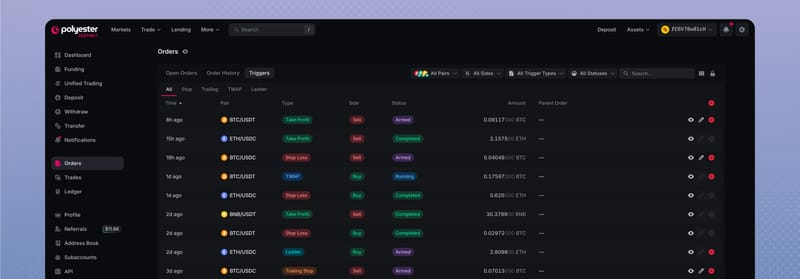
| Triggers | Monitoring stop, trailing, TWAP, and ladder instructions before and after they create orders |
| Order Details | Connecting the selected order with its instructions, identifiers, fills, fees, and Transfers |
Open Orders and Order History can follow the active Pair. Change or clear their filters when you need to find activity from another market in the same account.
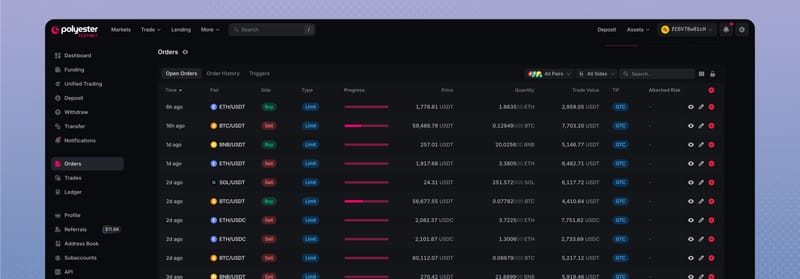
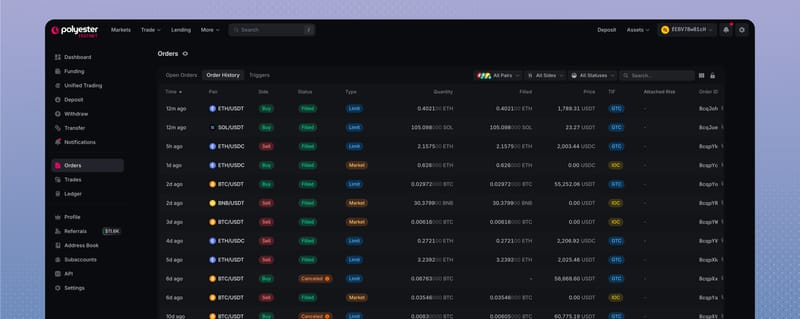
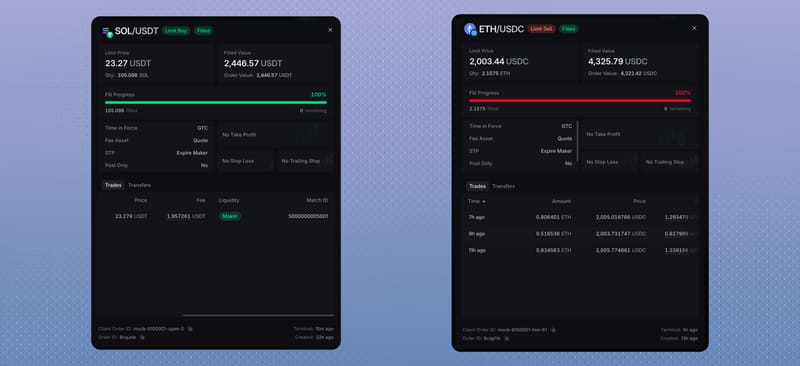
Select a row to open Order Details. The panel connects the order's instructions, fill progress, trades, fees, and identifiers.
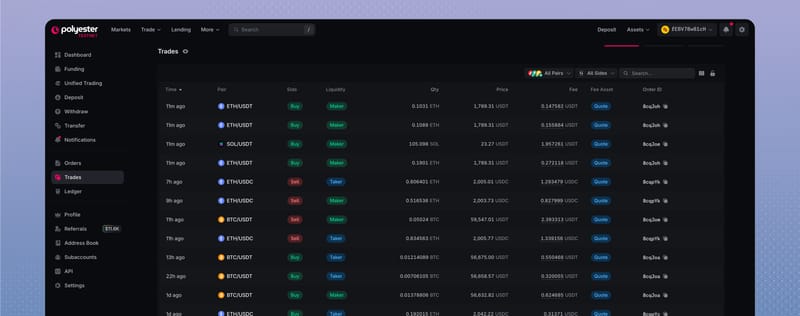
Completed fills also appear in Trades, with the Order ID that connects each fill to its order.
Order states
| State | What it means | What remains possible |
|---|---|---|
| Pending | The request was accepted but is not yet confirmed as working or ended | Wait for the next state |
| Working | Remaining quantity is active under the order's instructions | Match, modify, or cancel |
| Partially Filled | One or more fills completed while quantity remains active | Completed fills stay final; the remainder can keep working, modify, or cancel |
| Pending Cancel | Polyester received a cancellation request, but the order can still match | Wait for a final state or updated progress |
| Filled | The full effective quantity matched | Review fills, Average Price, fees, and balance changes |
| Canceled or Expired | No quantity remains active, although partial fills can remain final | Review the terminal reason and released reservation |
| Rejected | The order never became Working | Correct the rejection reason before submitting again |
A submission confirmation means Polyester received the request, not that the order is already Working. Orders continue server-side after you close the browser, sign out, or lose a connection.
Modify an open order
The quantity entered in Modify Order becomes the new total for the order, not the new remaining quantity.
If the new total is equal to or below the amount already filled, Polyester treats the change as a request to cancel the remaining quantity.
| Behavior | What it does | Order identity |
|---|---|---|
| Amend Only | Applies the change only when the existing order can be amended safely | Keeps the existing Order ID |
| Amend or Replace | Amends when possible and otherwise replaces the active order | The final Order ID can change |
| Replace Only | Cancels the active order and submits a replacement | Creates a new Order ID |
An in-place amend is limited to a Limit order that keeps its price and does not increase its total quantity. Changing the price, increasing total quantity, or selecting Replace Only creates a new order at the back of the applicable price queue.
A replacement protects the new order first. Available Balance can briefly reflect both sides of a safe replacement transition. Confirm the final order and reservation before using the expected released balance.
Cancel orders
Cancellation applies only to quantity that remains active. It cannot reverse a completed fill.
Cancel all open orders
Cancel All Orders previews how many open orders it will target before confirmation.
An order can also end when its time-in-force instruction cancels a remainder, self-trade prevention ends it, a replacement takes over, or another lifecycle action makes it terminal.
Rejected orders
A rejected order never became Working. Use its displayed reason to identify the failed requirement.
- Balance and policy: Confirm the account has enough Available Balance and permission to place the order.
- Pair rules: Check the current quantity, price, minimum, and precision requirements.
- Order instructions: Confirm the side, order type, time-in-force, and post-only combination is supported.
- Market state: Confirm the Pair currently accepts the requested action.
Use the current Order Form and rejection reason instead of copying values from an older order.
FAQ
Unused reserved funds become available instantly when the order is filled, canceled, expires, or otherwise ends. If the order fills, the traded amount is settled and the asset you receive becomes available.
No. An order confirmation means Polyester received your request. It does not mean the order has filled. The order may fill completely, fill partially, remain open, or be canceled, depending on its instructions and available liquidity. Check its status and completed trades in Order History to see what actually executed.
An order must meet the market’s size and price rules, your account’s permissions, and any conditions attached to the order type. Your available Trading balance must also cover the order and any applicable fees. The rejection message identifies the reason so you can correct it before trying again.
An order fills only when matching buy or sell orders are available within its price limits. For orders at the same price in the order book, those placed earlier have priority. A partial fill means only part of your requested amount has traded. The remainder may stay open or be canceled, depending on your order type and settings.
Yes. There is a very small window where an order can still fill while your cancellation request is processing. This is called a race condition. Cancellation applies only to the unfilled portion and cannot reverse a trade that has already completed. Check the final order status and completed trades to see how much filled and how much was canceled.
Yes. Polyester manages your active orders independently of your browser. They continue according to their instructions if you close the browser, sign out, or lose your connection. When you return, Open Orders and Order History show which orders are still active and which have filled or ended.