Your first trade starts with an Asset you already hold. Deposit that Asset into Polyester, make the balance available in Trading, find a market that exchanges it for the Asset you want, and place an Order. After the Order fills, the Asset you received appears in your Unified Trading Account.
Before you deposit
Confirm these first:
- Create an account so Polyester can assign a deposit address
- Secure your account so the owner wallet and MFA are in place
- Confirm the selected Main Account or Subaccount so the credited balance appears there
- Hold a supported Asset on the network you'll send from
Deposit, trade, and check your new balance
This journey works whether your completed Deposit credits Funding first or goes directly to Unified Trading.
Deposit an Asset
Open Deposit, select the Asset, and choose the network where it currently exists. Copy the address directly from Polyester and send the Asset from your source wallet or exchange. Include the exact memo or destination tag when one is shown.
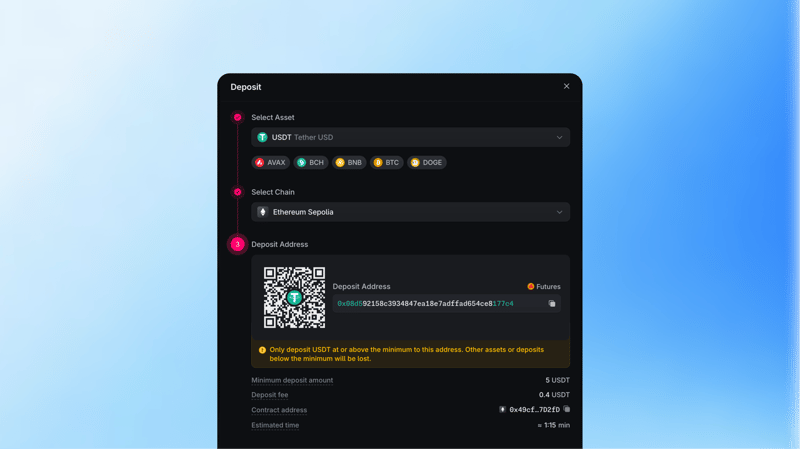
Wait for the required source-chain confirmations. If the completed Deposit appears in Funding, open Transfer and move the amount you want to trade into Unified Trading. If it already appears as an available Trading balance, continue to the next step.
Find a market for the deposited Asset
Open Spot Markets and search for the ticker you deposited. Choose a Pair that contains both the Asset you have and the Asset you want to receive.
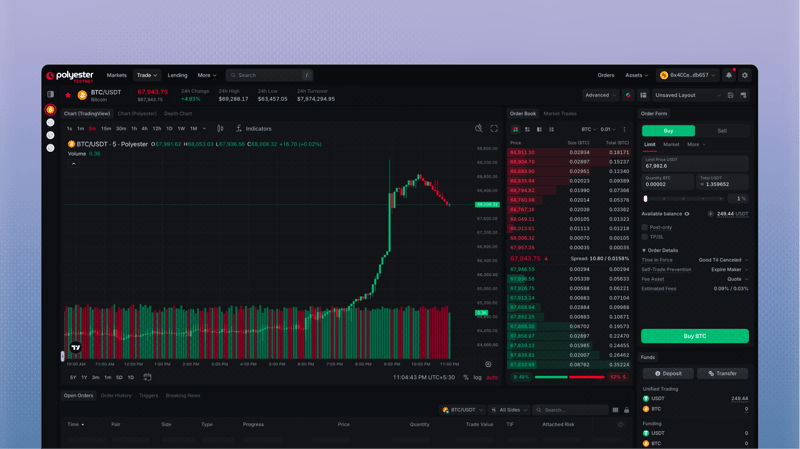

 BTC/USDT , selling BTC gives you USDT, while buying BTC spends USDT.
Choose Buy or Sell and place the Order
Choose Sell when you hold the Base Asset and want the Quote Asset. Choose Buy when you hold the Quote Asset and want the Base Asset. Confirm the active account, enter the amount, select a Market or Limit Order, review the estimated total and fees, then place the Order.
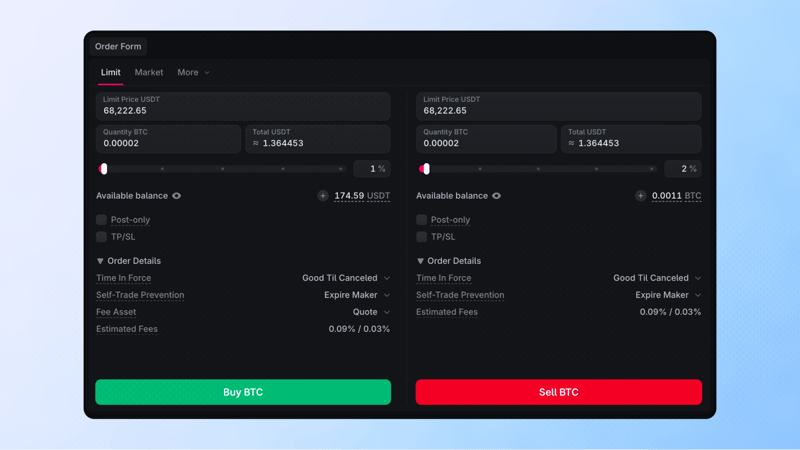
You hold USDT in Unified Trading and want BTC.
- Open the BTC/USDT market. USDT is the Quote Asset you spend, and BTC is the Base Asset you want to receive.
- Select Buy, choose a Limit Order, enter the amount of BTC, and set a Limit Price.
- Review the Order and place it. When it fills, the spent USDT decreases and the received BTC appears in the same Unified Trading Account.
A filled Limit Buy shows Fill Progress at 100%, with no remaining quantity. Open the order to see the Limit Price, filled value, and the trades that completed it.
If a Limit Order remains open, the unfilled quantity stays reserved. Cancel the remaining Order if you want to release that balance back to Unified Trading.
Check the Asset you received
After the Order fills, open your Unified Trading balance and confirm that the Asset you received is available. Open Orders shows any quantity still waiting to trade. Order History and Fills show what executed, including the quantity and price.
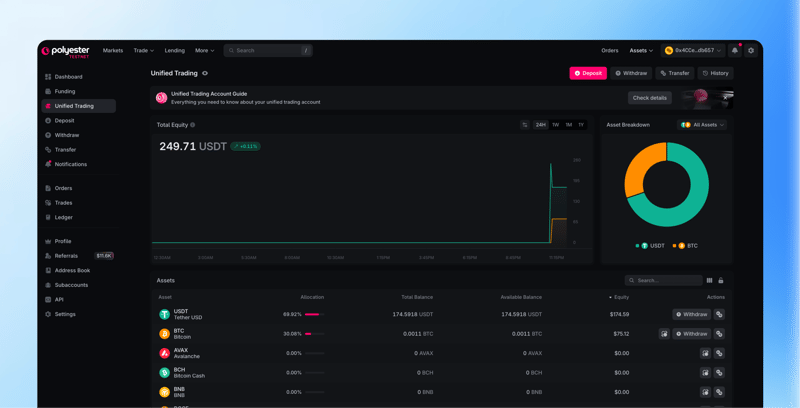
The received Asset can support another eligible Order or be transferred back to Funding when it is available and not reserved.
Manage Orders Learn more about managing orders.Once the received Asset appears in your Unified Trading balance, you can use it in another eligible Order or transfer it to Funding for a supported withdrawal.
Withdraw Funds Learn more about withdrawing funds.FAQ
Start by creating a Polyester account with a supported wallet, Google, or email. If you want to claim paper assets, connect your Discord and X accounts to your Polyester account. You don’t need an existing crypto wallet if you sign up with Google or email. The Start Here section of the user docs guides you through protecting your account and making your first deposit and trade.
You can trade spot markets, manage your orders, deposit, withdraw, and transfer. You can also customize your trading workspace with widgets, manage sub-accounts, configure account security, create API keys for trading tools, and track transactions on PolyesterScan.