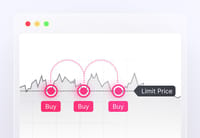
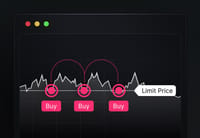
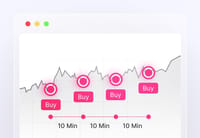
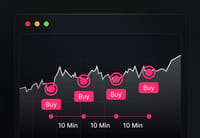
A peg prices a Limit order from the Order Book at the moment the order reaches the market. Use it to join the best bid or best ask, or step one tick inside it, without typing a price that may already be out of date.
The chart below plays one out on a live order book. Switch between Buy and Sell, choose a peg position, and see where the order lands and what it does next.
Sending order
≈ $99,991
How it works
Turn on Peg in the Limit form, then choose where the order takes its price from:
Both positions rest on your own side of the book. The form doesn't offer the other side's best price, because an order priced there would trade the moment it lands.
A tick is the Pair's smallest price increment. Top of Book makes your order the new best price on its side, as long as the spread has room for it.
Polyester reads that price once, when your order reaches the market, and places an ordinary Limit order there. The price is fixed from then on: a pegged order does not follow the book.
You also set the worst price you accept: a Price Cap on a Buy, or a Price Floor on a Sell. When the pegged price would land past it, the order is refused instead of being moved, so you never trade beyond the price you chose.
What can happen
The book moves while you fill in the form
The Order Price field shows an estimate of the pegged price from the book you see. The real price is set when the order reaches the market, a moment later, from the book at that time. It can differ from the estimate. This is what a peg is for: you do not have to retype the price each time the book moves.
The book moves after your order is placed
Your order stays at the price it got. If the best bid rises after your Buy rests at Top of Book, your order is no longer the best bid; it waits at its own price like any Limit order.
Changing the price later sets a new fixed price. It does not peg the order again.
The band below is the spread over time. Once the order lands, its price stays flat while the book moves on.
Filling in the order form
≈ $99,989
The book jumps past your cap or floor
The Order Form stops you before you submit when the estimate is already past your limit. The submit button shows Price Cap too low or Price Floor too high, and the form says The pegged price is above your price cap. or The pegged price is below your price floor. Raise the cap, lower the floor, or choose another peg position.
The market can still refuse the order when it arrives, because the book can move in the meantime. Nothing trades, and your reserved funds are released.
Sending order
≈ $99,991
That side of the book is empty
When the side you peg to has no orders, Order Price shows No price on that side. If it is still empty when your order arrives, the order is refused. Try again when the book has orders, or enter a price.
Your peg can still trade at once
A peg rests on your side of the book, but if the spread is only one tick wide when the order lands, Top of Book prices it at the other side's best price, so it can trade right away. With Post Only, it is refused instead; use Best Bid on a Buy, or Best Ask on a Sell, to always join the book.
Peg or plain limit?
A plain Limit Order uses the exact price you type. A peg uses the best bid or ask at the moment the order arrives, within your cap or floor. Once placed, neither follows the market.
Set it up
Open the Limit form
Turn on Peg
Choose the peg position
Check the cap or floor
Enter the amount and submit
Select Peg again to go back to a plain Limit Price.
After it is placed
The order is an ordinary Limit order at the pegged price. For a moment after you submit, your open order can show the cap or floor as its price. It shows the pegged price as soon as the market has placed it.
How it combines with other settings
- Post Only: a post-only peg is refused if its pegged price would trade at once.
- Time in force: a peg works with GTC, GTD, IOC, and FOK. With IOC, the order trades what it can at the pegged price or better and cancels the rest. With FOK, it fills in full at once or is refused. See Time-in-Force & Post-Only.
- Self-trade prevention: works as on any Limit order, at the pegged price. See Order Form.
- No TP/SL: a pegged order cannot carry an attached take-profit, stop-loss, or trailing stop.
- Sized in the Base Asset: a peg places an exact Base Asset amount. It cannot be sized by a Quote Asset amount to spend or to receive.
- Price bands: price bands are in development. Once a Pair has one, the band checks the pegged price like any Limit price.
If the market refuses the order
When the market refuses a pegged order, nothing trades, your reserved funds are released, and the app shows one of these messages:
The side of the book you pegged to had no orders when your order arrived. Try again when the book has orders, or enter a price.
The book moved, and the pegged price landed above your Price Cap or below your Price Floor. Adjust the cap or floor, or the peg position, and try again.
A peg needs a Limit order sized in the Base Asset, without take-profit or stop-loss.
A post-only peg whose price would trade at once is refused like any post-only order.
Example
The best bid for Bitcoin is 99,990 USDT and the best ask is 100,000 USDT. The Pair's price step is 1 USDT. You want to buy 0.01 BTC as the best buyer, but not above 100,500 USDT.
- You select Limit, then Peg, and choose Top of Book. Order Price shows about 99,991 USDT.
- You set Price Cap to 100,500 USDT and submit.
- When the order arrives, the best bid is still 99,990 USDT, so the order is placed at 99,991 USDT, one step above it.
- Later the best bid rises to 99,995 USDT. Your order stays at 99,991 USDT.
Result: your Buy rests at 99,991 USDT. Had the best bid jumped to 100,500 USDT or higher before the order arrived, the pegged price would have been past your cap, and the order would have been refused without trading.
These are example prices. The pegged price depends on the book when your order arrives.