Polyester can pause for a review before it places an order or submits a withdrawal. Both reviews are on by default, and you control each one separately.
Turn confirmations on or off
Open Preferences
Choose the switch
You can also select Don't show this confirmation again in the review itself. Polyester turns that confirmation off once you confirm, and you can turn it back on in Preferences at any time. The setting is saved in your current browser, so another browser or device keeps its own choice.
What the order review shows
The review repeats what you are about to submit, so you can catch a wrong Pair, side, or amount before it reaches the market. Depending on the order, it shows:
- The Pair, side, order type, quantity, total, and price.
- Time in force, expiry, post-only, self-trade prevention, Fee Asset, and maximum slippage.
- The trigger price and Price Source, or the TWAP and Ladder schedule.
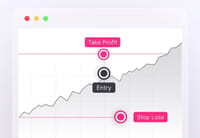
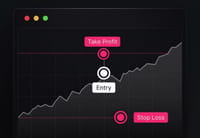
- Any attached take-profit, stop-loss, or trailing stop.
Confirm to submit the order, or cancel to return to the form with nothing placed. A custom Good Til Date expiry can pass while the review is open. Polyester then blocks the confirmation until you choose a new one.
What changes when a confirmation is off
With Order confirmation off, the Order Form submits as soon as you select the submit button. Dragging an order level on the chart also applies when you release it, instead of opening a small editor first. See Chart Trading.
With Withdrawal confirmation off, the withdrawal form goes straight to approval. Wallet approval, MFA, and whitelist rules still apply. A withdrawal to the wrong address cannot be reversed, so check the destination in the form before you continue.