Polyester Mobile Web App Live
Polyester Testnet now fits phones and tablets. Spot trading, markets, account, search, deposits, and transfers are rebuilt for smaller screens.
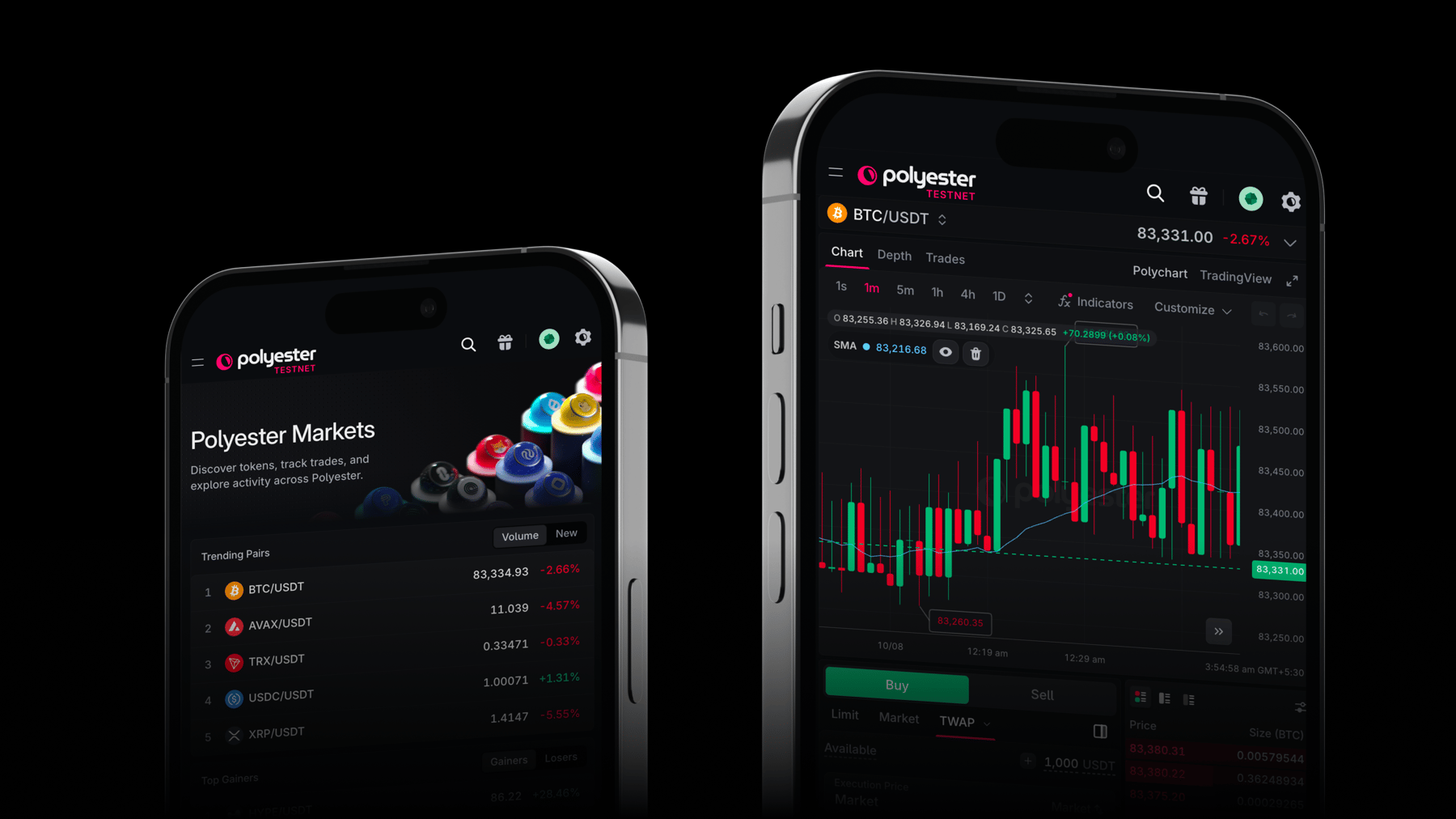
Polyester Testnet is now fully usable on mobile. Spot trading, markets, account, search, deposits, transfers, and docs are rebuilt for phones and tablets, so you can explore the exchange without a desktop browser.
Until now, trading routes were gated on small viewports. That gate is gone. Open Testnet on your phone and use the same markets, charts, and account tools you already know from desktop.
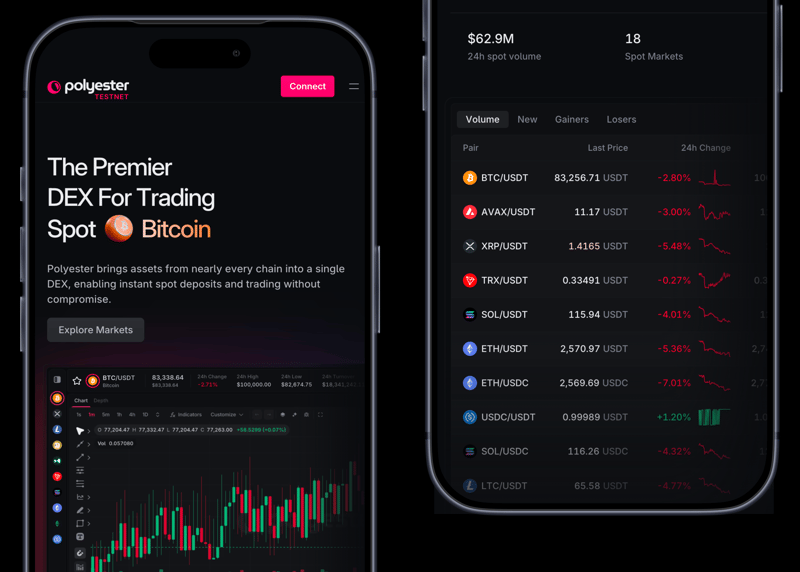 Phone view of the homepage and spot markets: trading overview, 24h volume, and the pair list.
Browse markets
The Markets page keeps trending pairs, top gainers and losers, and the full pair list on one screen. Sort by volume or new listings, filter pairs, and open a market when you are ready to trade.
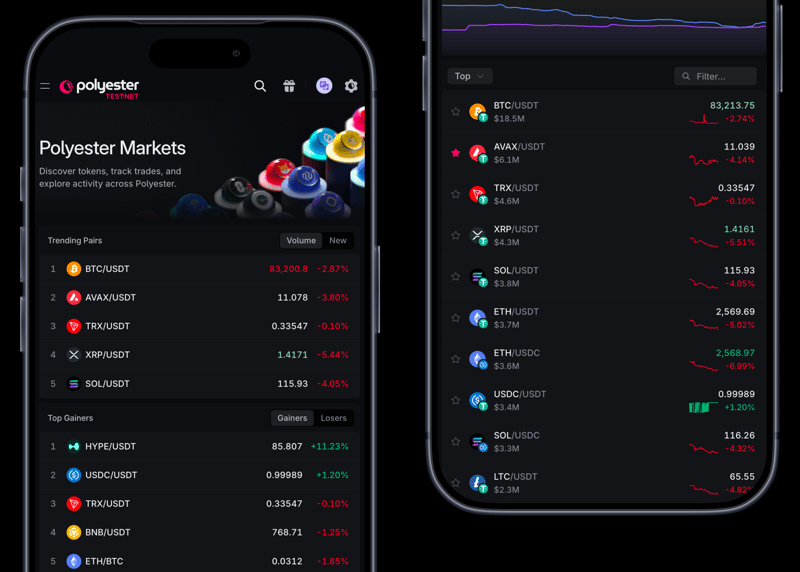 Markets on a phone: trending pairs and top gainers, beside the full pair list.
Trade from your phone
Open a spot market and the trading screen stacks the pieces you need. The pair header shows live price, 24h change, turnover, and the 24h high and low. Chart, Depth, and Trades sit in a compact tab strip, with Polychart and TradingView still available.
Buy and Sell stay beside the order book. Limit and market orders remain, and advanced orders such as TWAP keep their controls: execution price, amount, running time, slice size, max slippage, and fees.
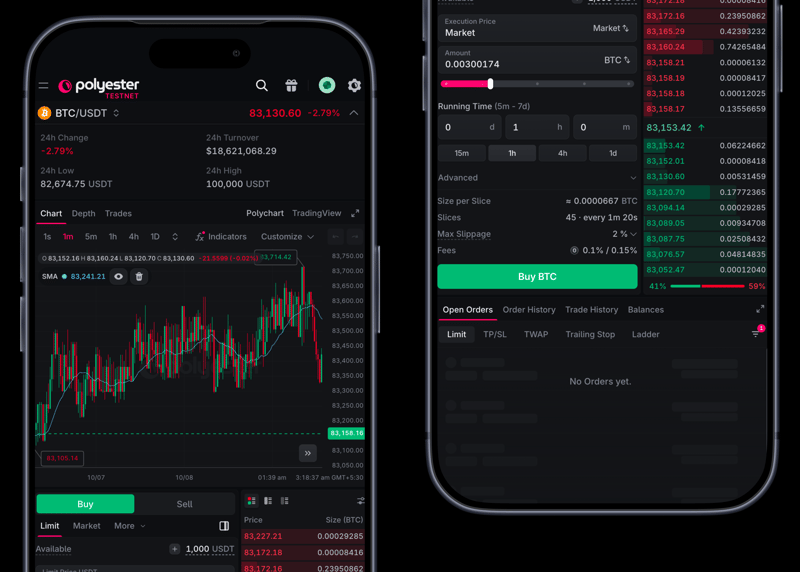 Spot trading for BTC/USDT on a phone: candlestick chart, TWAP buy ticket, and the live order book.
Find a market
The full-screen menu reaches Dashboard, Funding, Deposit, Withdraw, Transfer, Orders, Trades, and Docs. Tap the pair name to open the market picker. Search across markets, or filter by Favorites, Trending, Top, or New.
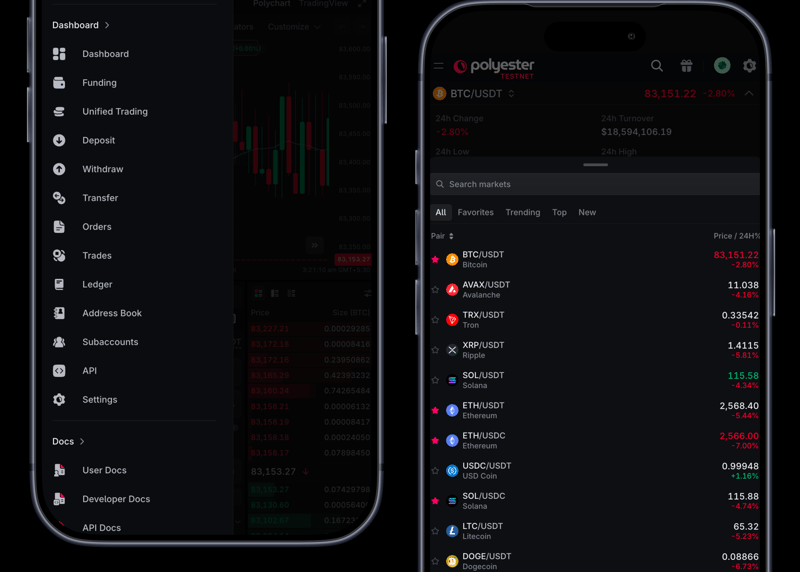 Phone menu with Dashboard and Docs, next to the market picker for BTC/USDT.
Your account
The account drawer keeps equity, funding and trading balances, and Deposit, Withdraw, and Transfer in reach. Accounts lists your subaccounts, and you can switch to Activity or Assets from the same sheet.
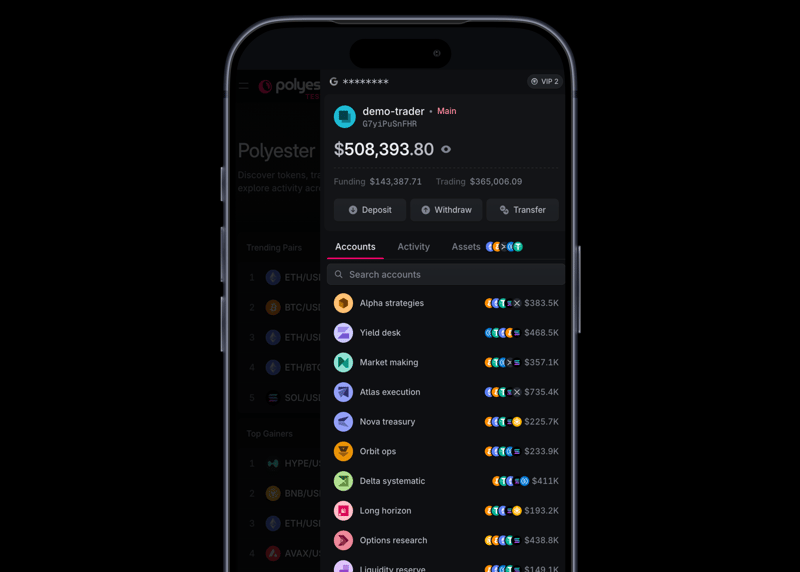 Account drawer for demo-trader on a phone, with searchable subaccounts.
Search from anywhere
Search covers trending spot markets and your accounts, including subaccounts. Recent searches stay one tap away.
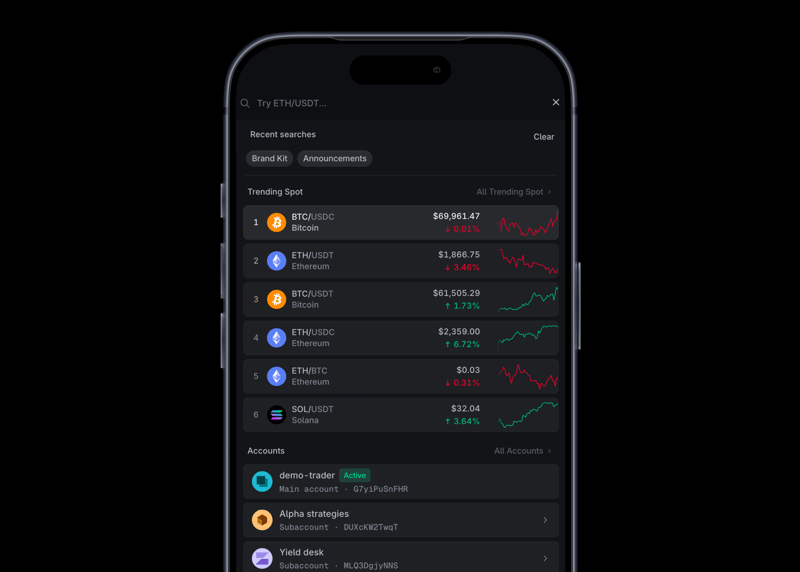 Phone search showing trending spot pairs and accounts, including subaccounts.
Deposit and transfer
Deposit starts with a searchable list of Paper or Testnet assets, then continues one network at a time. Transfer moves funds between your accounts, or to another user, from the same mobile navigation.
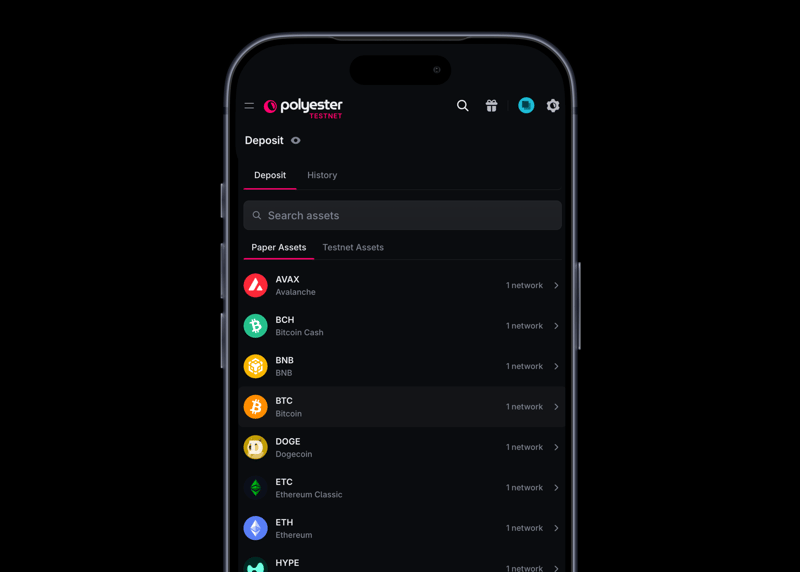 Deposit on a phone: search Paper Assets, then continue into a network.
Dashboard and docs
The dashboard shows VIP tier, total equity, funding and unified trading balances, and open orders across Limit, TP/SL, TWAP, trailing stop, and ladder. User Docs, Developer Docs, and the SDK overview use the same narrow layout, so reference pages stay readable on a phone.
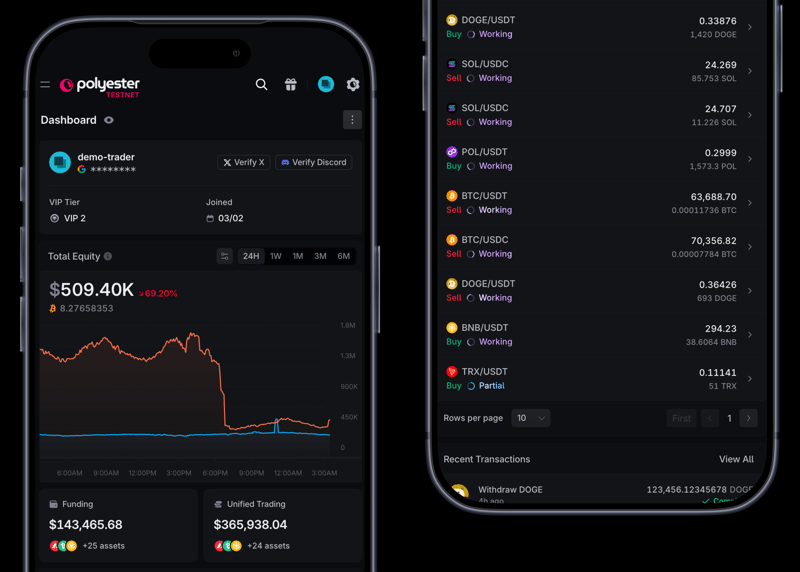 Dashboard on a phone: equity, funding, unified trading, and open orders.
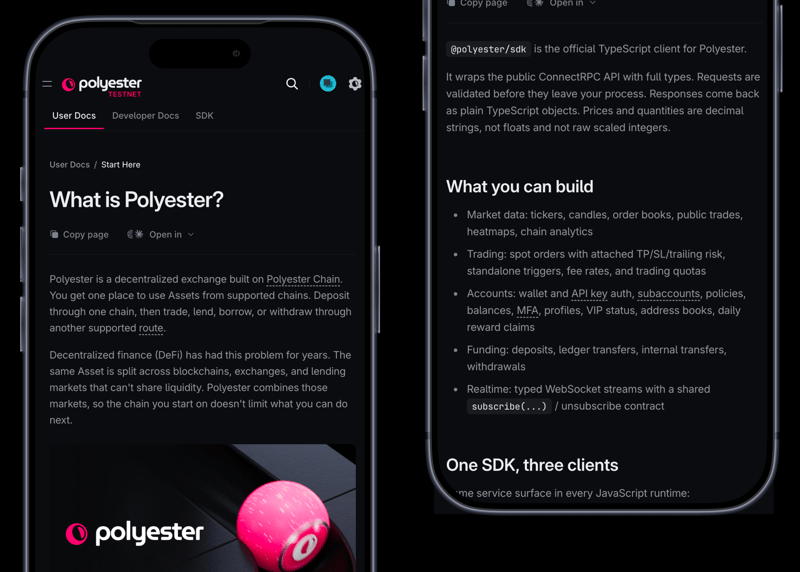 Docs on a phone: What is Polyester, beside the SDK overview.
Try it on Testnet
Open Polyester Testnet on your phone, connect an account, and place a paper trade. If something feels off on a specific device, share feedback through the usual channels so we can keep tightening the mobile experience.