Subaccounts Are Available on Polyester Testnet
Create Subaccounts under your Main Account on Polyester Testnet to separate strategies and teams, with their own balances, members, roles, permissions and API Keys.
Subaccounts are available now on Polyester Testnet! Run each strategy, desk or bot from its own account, decide who works on it and what it's allowed to do, and still see every account from one place. Here's how it works.

Read repliesPolyester Subaccounts are available now on Testnet! Subaccounts let you separate trading strategies, manage separate teams and keep balances organized. Invite members, assign roles, set permissions, create API keys and track performance across all your subaccounts.
All Your Subaccounts on One Page
At the top of the Subaccounts page, the “Subaccounts Equity” chart shows the value of each account over 24H, 1W, 1M, 3M or 6M, with your Main Account as its own line, so you can compare how your strategies are doing side by side. Next to it, “Asset Breakdown” shows which assets make up the total.
Below, the “Subaccounts” table lists every Subaccount you own or are a member of, with its “Account ID”, “Your Role”, “Members”, “Permissions” and “Status”. “Transfer” moves funds into or out of a Subaccount right from its row. Invitations from other people wait under “Pending Invitations” until you accept them.
The same page works on a phone, where each Subaccount shows as a row with your role and its member count, and opens to the same tabs.
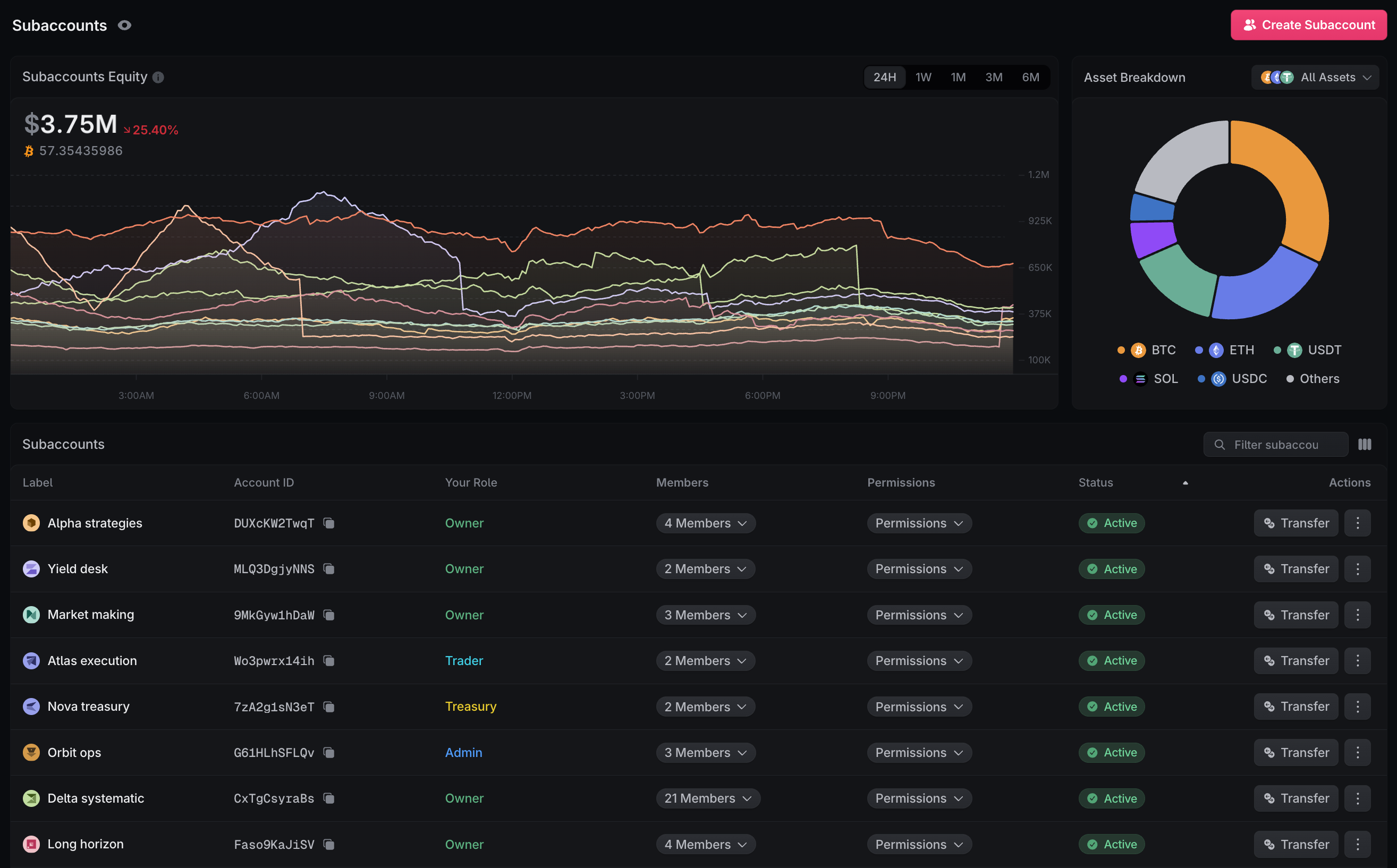 Desktop: equity for every account above the full Subaccounts table.
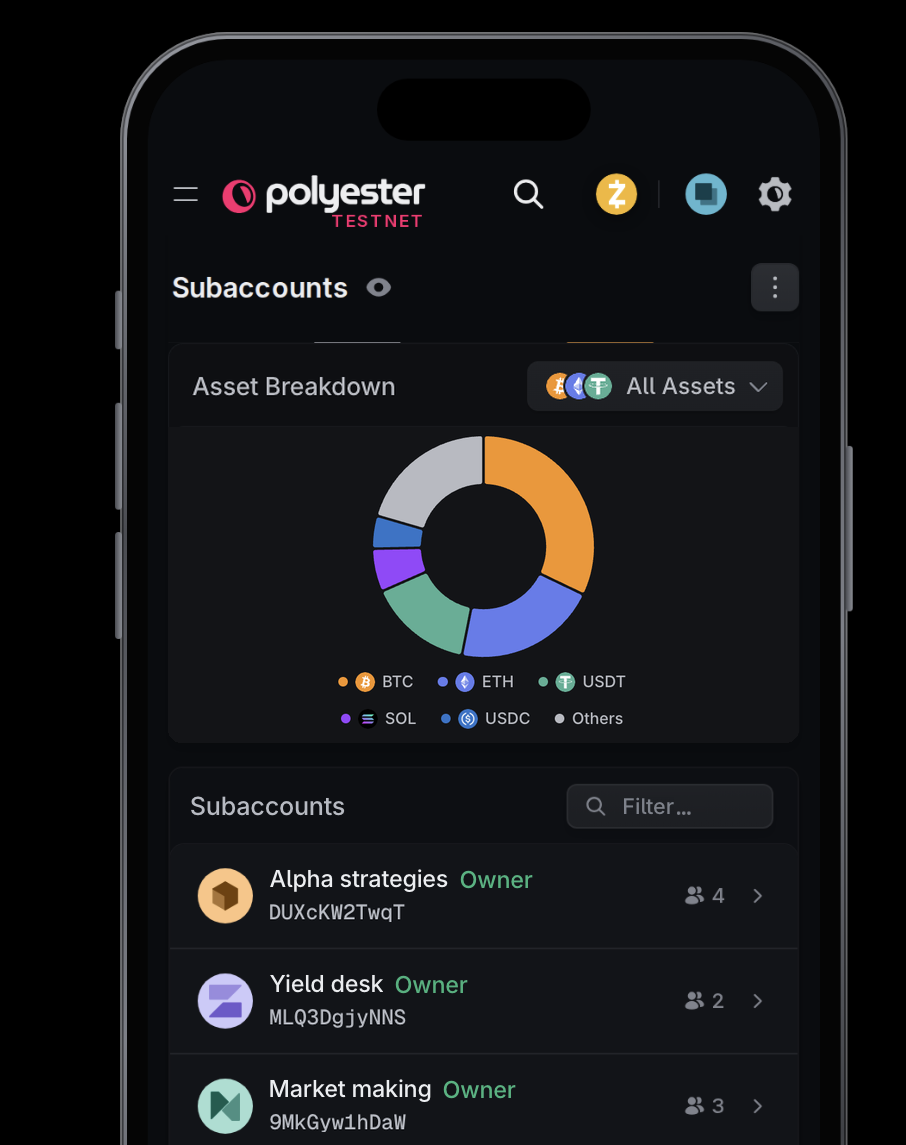 Phone: the same accounts as a compact list.
Create a Subaccount
Select “Create Subaccount” and give it a “Label”, such as the name of a strategy or a team. Only members of the Subaccount can see its label, and labels don't have to be unique. Polyester then gives the account its own account ID and address.
Next, you can save the new Subaccount to your Address Book as an internal destination for transfers, and turn on “Whitelist for transfers” if you use an internal transfer whitelist, or choose “Skip for now”. Polyester then opens the new Subaccount's “Permissions” tab so you can decide what it's allowed to do.
Balances don't move between accounts on their own. Use an Internal Transfer to fund a Subaccount from your Main Account, or switch to the Subaccount and deposit to it directly.
Invite Members and Assign Roles
Open a Subaccount and go to its “Members” tab to see who has access and which invitations are still pending. Select “Invite Member”, then enter a “Polyester Account” by username, account ID or address. Once Polyester finds the account, choose a “Role to grant” and select “Invite member”. The person gets access after they accept the invitation, and you may be asked to confirm with MFA before it's sent.
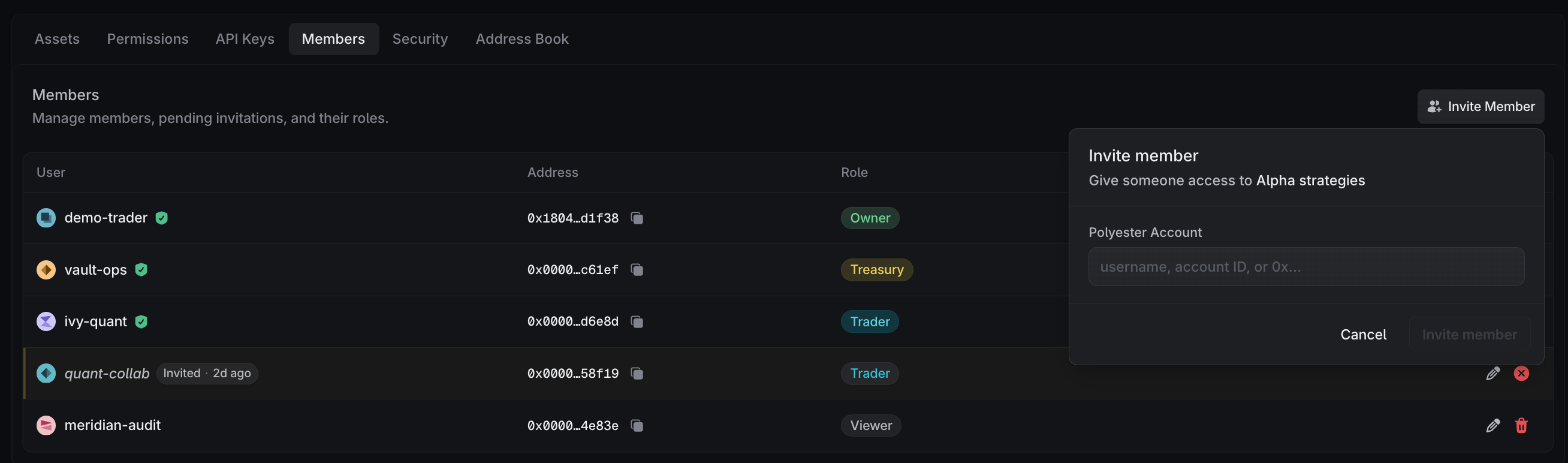 Invite a teammate by username, account ID or address, and they join after accepting.
A role describes what a person is responsible for, and it applies only to that Subaccount:
New invitations start as Viewer until you pick another role, and only the Owner can grant Admin. A role never goes beyond the Subaccount's permissions, described below. Access to one Subaccount doesn't automatically give anyone access to your Main Account or your other Subaccounts. See Members & Roles for more.
Set Permissions for Each Subaccount
A Subaccount's “Permissions” set the most the account can do, whoever is using it. Members' roles and API Keys can be narrower, but never broader, so an action is only available when both the role and the permissions allow it. A Trader can't place orders, for example, while “Spot Trading” is set to “Read”. A new Subaccount starts read-only until its Owner updates the permissions:
- Trading: “Spot Trading” set to “Read” or “Write”. Under “Advanced”, “Spot Market Scope” limits the account to all markets or only the “Allowed Pairs” you pick, and “Max Open Orders” caps how many orders can rest at once.
- Equity Settings: “Internal Transfers” to other Polyester accounts, set to “Read” or “Write”, and “External Withdrawals” to external wallets, set to “None” or “Write”.
- Safety and Governance: “Trading Status” pauses new trading with “Halted”, “Address Book” controls whether members can view or manage saved destinations, and “Policy Governance” can lock the policy so it can't be changed. Only the Owner can unlock it.
 Equity Settings: decide whether the account can transfer to other Polyester accounts or withdraw to external wallets.
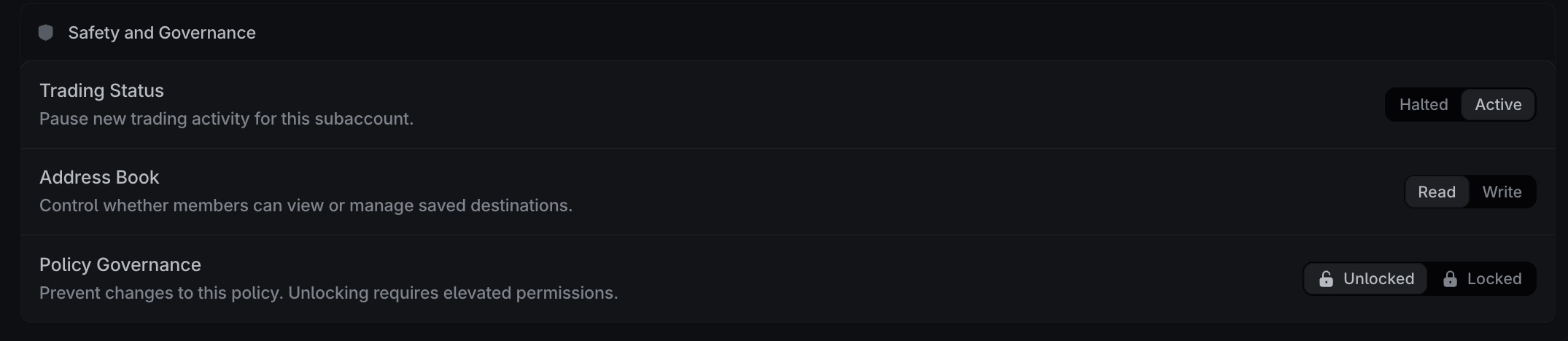 Safety and Governance: pause trading, control the Address Book, and lock the policy.
A bot's Subaccount, for example, could trade only the pairs it needs, with “External Withdrawals” left at “None”. Learn more in Permissions & Policies.
API Keys, Security and Audit Log
The “API Keys” tab lists the keys that belong to that Subaccount, and “Create API Key” adds one. A Subaccount key acts only as that Subaccount, which makes it a natural home for an automated strategy. Members whose role doesn't allow managing API Keys can't see or create them there. See API Keys for how keys work.
The “Security” tab holds “Require MFA”, which the Owner can turn on so members must set up MFA before protected actions, along with the Subaccount's default deposit destination, withdrawal protection, and the “Audit Log” of what happened on the account and who did it. More in Audit Logs.
Switch, Disable or Leave
Select “Switch” to make a Subaccount your active account. Polyester then shows that account's balances, orders and actions everywhere, until you switch back to your Main Account. A Subaccount can also be set from “Active” to “Disabled”: trading and API access stop until it's enabled again. Members who no longer need a shared Subaccount can “Leave” it.
Open Subaccounts on Polyester Testnet to create a separate account for your next trading strategy.